9 Best Personal Weather Stations for Home (November 2026)
The best personal weather stations for the home include the Newentor Weather Station Wireless Indoor Outdoor Thermometer for a first station, the DreamSky Weather Station Indoor Outdoor Thermometer Wireless for a bedside clock, and the La Crosse Technology Advanced for color forecast icons.
On this page (5 sections)
The best personal weather station for home use is the Newentor Weather Station Wireless Indoor Outdoor Thermometer, because its color screen shows indoor and outdoor temperature, humidity, the forecast and alerts without Wi-Fi or a phone app. For wind, rain and UV data you can check remotely, choose the Ambient Weather WS-2902.
This guide takes a different angle from our general weather station roundup. Instead of ranking by brand or sensor count, it sorts picks by the job a home buyer actually needs done: watching a room's comfort, keeping time, or tracking real backyard weather.
A personal weather station for home use sits somewhere between a thermometer and a small weather lab. The simplest models tell you how hot the kitchen is and whether rain is likely.
The most complete measure wind speed, rainfall and sunlight, then share it online.
Our picks at a glance
-
1
 Best for a first station
Newentor Weather Station Wireless Indoor Outdoor Thermometer
9.6/10 our score
See it on Amazon -
2
 Best for a bedside clock
DreamSky Weather Station Indoor Outdoor Thermometer Wireless
9.5/10 our score
See it on Amazon -
3

- 4
 Best for easy setupCheck it
- 5
 Best for wind and rain trackingCheck it
- 6
 Check it
AcuRite Home Weather Station with Vertical Full-Color
Best for narrow shelves - 7
 Best for detailed dataCheck it
- 8
 Check it
Sainlogic 12-in-1 Wireless Station
Best for rain precision - 9
 Best for humidity comfortCheck it
The best personal weather stations for home, by what you need them to do
The Newentor is the strongest all-round screen station for most homes. Below it, each pick owns a specific job: a bedside clock, a rain gauge, a smart home feed.
Match the station to the reading you'll actually look at every day.
Newentor Weather Station Wireless Indoor Outdoor Thermometer: Best for a first station
- Color LCD screen
- Up to 3 wireless sensors
- Atomic clock and dual alarms
- Adapter power with battery backup
A color display that puts indoor and outdoor readings, alerts and the forecast in one place without an app.
Pros
- Large color screen
- Supports 3 remote sensors
- Atomic time with dual alarms
Cons
- No wind or rain sensors
Newentor suits the buyer who wants one bright screen in the kitchen or living room and no setup beyond pairing a sensor. The large color LCD shows indoor and outdoor temperature and humidity, daily highs and lows, a 12 to 24 hour forecast, barometric pressure, moon phase and the time.
Its atomic clock sets itself and runs dual alarms with snooze. A customizable alert warns you when the outdoor reading crosses a limit you choose, handy for a greenhouse or a cold porch.
The unit is a rectangular ABS body measuring 8.03 inches wide and 5.12 inches tall, so it sits on a counter or a shelf without hogging the space.
The station supports up to 3 remote sensors on a radio link, so one display can watch the garden, a garage and a basement. It ships with one sensor, and cycling through them shows each location's temperature and humidity in turn.
Power is the main choice: plug in the DC adapter for an always-on bright screen, or run on batteries where the screen wakes for 15 seconds at a tap. The forecast needs 7 to 10 days to calibrate to your location.
Choose it as your first station if a clear display beats app features. Move to a Wi-Fi model when you want readings while you're out.
DreamSky Weather Station Indoor Outdoor Thermometer Wireless: Best for a bedside clock
- Large colorful display
- 5-level adjustable backlight
- WWVB atomic clock with auto DST
- USB charging port
A big, bright display with a dimmer and atomic time, made for reading from across a bedroom.
Pros
- 5 backlight levels
- Auto daylight saving time
- USB port for charging
Cons
- No wind or rain sensors
DreamSky suits a nightstand or a kitchen counter where the screen is read from across the room. Its large colorful display uses big numbers for the forecast, indoor and outdoor temperature, the atomic clock and the calendar, and it measures 7.9 inches wide and 4.9 inches tall.
The WWVB radio signal sets the time and date, and auto daylight saving time means no spring and fall reset. Five backlight levels let you dim it for sleep and brighten it for daytime checks.
The atomic clock also covers the date, year and calendar day in full.
Temperature alerts cover high and low limits, and the station accepts up to 3 outdoor sensors on radio, one included. A USB port on the back charges a phone beside it.
The sensor itself is compact at 4.9 inches tall and 1.75 inches wide, easy to hang on a wall or a fence post.
Run it from the wall adapter for a constant backlight. On battery backup alone the screen lights for 10 seconds and then dims to save power, which is fine for brief glances but not for an always-on clock.
The unit takes 3 AA batteries for that backup.
Its trade-off against the Newentor is a narrower feature set: no moon phase, no barometric trend emphasis. If you want a big, readable clock and thermometer, that gap won't matter.
La Crosse Technology Advanced: Best for color forecast icons
- Dynamic color weather icons
- Humidity with MIN/MAX records
- Atomic time with DST reset
- 300 ft sensor range
Forecast icons change color with the trend, so a glance tells you which way the weather is heading.
Pros
- Color forecast with trend arrows
- Heat index and dew point
- Adjustable backlight
Cons
- Barometric calibration takes 7 to 10 days
La Crosse suits buyers who like reading the sky through icons rather than numbers. Its dynamic color forecast changes the icon and adds trend arrows, so you can see whether conditions are improving or turning.
The included sensor has a 300 ft transmission range with no obstructions. Temperature and humidity readings keep daily minimum and maximum records, and customizable alerts flag extremes.
Heat index and dew point round out the display, and a reception indicator plus a low battery warning tell you when the sensor link needs attention.
Atomic time sets itself and resets for daylight saving. The backlight has high, low and off settings, though on battery power alone it lights only on demand to save energy.
The display measures 8.36 inches wide and 5.49 inches tall, so it needs a fairly wide shelf.
Barometric calibration takes 7 to 10 days before the forecast settles, so don't judge the icons on day one. The station needs its 5V adapter for the full-brightness display, with 3 AAA batteries as backup.
A factory restart is the fix if the sensor link drops.
Pick it if you want the forecast to feel visual. Pick the Newentor instead if you'd rather have a bigger sensor count and a tap-to-wake screen for bedside use.
AcuRite 02077M: Best for easy setup
- Self-calibrating forecast
- Over 15 data points
- Moon phase
- Adjustable display dimmer
A straightforward color station that learns your local conditions and shows more than a plain thermometer.
Pros
- Simple two-battery sensor setup
- Moon phase and trend arrows
- Bright, clear color screen
Cons
- Forecast needs time to calibrate
AcuRite suits a first-time buyer who wants a color station running in minutes. The outdoor sensor takes 2 AA batteries and hangs on a post or tree branch with its built-in hanger, so there's no wiring to plan.
Its self-calibrating forecast learns your local pressure patterns and gives a 12 hour outlook, with trend arrows and moon phase on the screen. The display shows more than 15 data points, including sensor signal strength and daily high and low records.
The adjustable dimmer helps it fit a bedroom or an office desk. The display stands 6.6 inches tall and 4.5 inches wide, a compact footprint for a counter.
AcuRite is based in Lake Geneva, Wisconsin, and has built weather gear there since 1943. Better Homes & Gardens put this screen on its list of best home weather stations for its clear data and colorful look.
It reads temperature, humidity and pressure but not wind or rain. That keeps it simple and affordable, and it's the right call for a kitchen or home office where comfort matters more than a full backyard record.
It runs from an included AC adapter, with 3 AA batteries as backup.
Choose it for the quickest start. Step up to the Ambient Weather WS-2902 when you want wind and rainfall numbers too.
Ambient Weather WS-2902: Best for wind and rain tracking
- Wi-Fi with remote alerts
- Wind speed and direction
- Rainfall and UV sensors
- Solar-powered sensor array
A full weather station with a solar sensor array that sends wind, rain and UV data to your phone.
Pros
- Wind, rain and UV readings
- Remote monitoring and alerts
- Works with smart home services
Cons
- Higher cost than screen-only stations
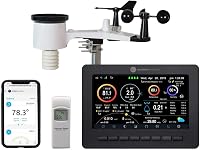
Ambient Weather suits the buyer who wants real backyard weather, not just a room thermometer. Its solar-powered sensor array measures wind speed and direction, rainfall, temperature, humidity, UV intensity and solar radiation.
Wi-Fi sends those readings to your phone and to the Ambient Weather Network, and you can set alerts and tie the data to smart home routines through IFTTT, Google Home and Alexa. The color console shows the same data indoors.
The array connects to the console by radio up to 330 ft in open air, though walls, metal and ground cut that figure. The solar panel charges an internal cell, with 3 AAA batteries for backup.
It mounts on any pole between 1.25 and 2 inches across using the included bracket and U-bolt, though the pole itself is not supplied.
This is the pick when "what's the weather doing at my house" means wind gusts and rain totals. The console and app together make it a genuine smart station.
The console weighs about 3.9 pounds and runs from an included AC adapter.
Pick it for full weather data you can check anywhere. Stay with the Newentor if you only want indoor comfort and a forecast.
AcuRite Home Weather Station with Vertical Full-Color: Best for narrow shelves
- Vertical full-color display
- Self-calibrating forecast
- Built-in kickstand or wall keyhole
- Temperature and humidity alerts
A tall display that fits a kitchen counter or a wall hook where a wide screen would not.
Pros
- 8.75-inch tall vertical screen
- Table or wall placement
- Custom high and low alerts
Cons
- No wind or rain sensors
AcuRite's vertical model suits a narrow kitchen shelf, a hallway console or a wall hook where a wide screen won't fit. The 8.75-inch tall, 4.75-inch wide display stands on a kickstand or hangs by a keyhole.
It shows indoor and outdoor temperature and humidity with daily highs and lows, plus the date, time, barometric pressure with a trend arrow, moon phase, dew point and heat index. The self-calibrating forecast gives a 12 hour outlook for your spot.
A manual calibration option lets you correct readings when a sensor's placement skews the data.
An auto-dimming backlight adjusts to the room, and you can set high or low alerts for temperature and humidity. A beep and a screen flash warn you when a limit is crossed.
The remote sensor sends its readings over a 433 MHz radio link.
It's a corded display with 3 AAA battery backup and covers temperature, humidity and pressure only. If your space is tall and narrow rather than wide, this layout solves a real problem the wider stations here don't.
Ambient Weather WS-2000: Best for detailed data
- TFT color display
- All-in-one sensor array
- Imperial and metric units
- Wi-Fi publishing
The most detailed console here, with a full sensor array and calculated values like feels-like temperature.
Pros
- Wide range of measured and calculated data
- Light and dark display themes
- Calibration for major readings
Cons
- Optional indoor sensor sold separately
Ambient Weather's WS-2000 suits the data-minded buyer who wants calculated values, not just raw numbers. Its TFT color display has light and dark backgrounds and shows feels-like temperature, dew point, 10 minute wind speed and direction, sunrise, sunset and moon phase.
The all-in-one sensor array measures wind, rain, temperature, humidity, UV and solar radiation. The console syncs time over the internet, switches between imperial and metric units, and lets you calibrate major readings.
It also runs multi-screen displays so you can page through the data sets.
Wi-Fi publishing sends your data to the Ambient Weather Network for a personal online dashboard. The array connects by radio up to 330 ft in open air.
Like the WS-2902, it mounts on a pole from 1.25 to 2 inches across and runs on solar power with 3 AAA batteries as backup.
An indoor temperature and humidity sensor for the console is sold separately, so check whether you want that before buying. The WS-2902 covers the same outdoor ground for less, while this model adds the richer display and more calibration control.
Sainlogic 12-in-1 Wireless Station: Best for rain precision
- Rain gauge with 1 mm precision
- 6.5-inch screen with big fonts
- Wind speed and direction
- Solar power with battery backup
A large-font screen with a rain gauge built for measuring light and heavy rainfall closely.
Pros
- Fine rain measurement
- Large, readable display
- Solar powered with battery backup
Cons
- No Wi-Fi
Sainlogic suits the gardener or smallholder who cares most about rain totals. Its gauge measures rainfall to about 1 mm in light rain and within roughly 7 percent in heavy rain, with manual calibration for local adjustments.
The Swiss-made temperature and humidity sensor reads from -40 to 140 degrees Fahrenheit with about 2 degrees Fahrenheit accuracy.
The 6.5-inch screen uses big, bold numbers with three backlight levels, so older eyes can read it in daylight or a dim room. Wind speed and direction, barometric pressure from 300 to 1100 hPa, dew point and perceived temperature all show at once.
The outdoor array runs on solar power with battery backup for round-the-clock operation. It mounts on poles, rooftops or fences and connects by radio, so no wiring runs to the house.
Setup follows the included manual and needs no professional help.
There's no Wi-Fi here, so readings stay on the display. That's the trade-off against the Ambient models.
If rain precision and a big readable screen matter more than a phone app, this is the better fit.
La Crosse C85845: Best for humidity comfort
- Comfort level color bars
- Custom temperature and humidity alerts
- Atomic clock
- Adjustable backlight
A station that turns humidity readings into comfort bars, useful for spotting a damp room.
Pros
- Comfort bars for indoor and outdoor humidity
- Dew point and heat index
- Self-setting atomic time
Cons
- No wind or rain sensors
La Crosse's C85845 suits a buyer watching a damp basement or a humid bedroom. Its comfort level color bars turn humidity readings into an easy visual scale for both indoors and outdoors, from 10 to 99 percent relative humidity.
You get indoor and outdoor temperature and humidity, dew point, heat index, a self-setting atomic clock and a full calendar. Custom high and low alerts cover both temperature and humidity.
The atomic clock handles seven time zones and lets you switch daylight saving on or off.
Dynamic forecast icons with trend arrows adjust to barometric pressure, though La Crosse asks for 7 to 10 days of calibration first. The 5V adapter keeps the backlight constant with adjustable brightness, and 3 AA batteries serve as backup.
The sensor takes 2 AA batteries of its own.
It's a screen station without wind or rain data. Its strength is showing whether a room feels comfortable, which makes it a useful companion to a dehumidifier or a check on a closed-up room.
La Crosse has been a family-owned US company since 1983.
How these stations compare side by side
The table lines up what each station measures and how it connects, so you can rule out models that skip the reading you care about. Screen stations stop at temperature, humidity and pressure; the Wi-Fi models add wind, rain and sunlight.
| Product | Best for | Display | Sensors | Power | Our score |
|---|---|---|---|---|---|
| Newentor Weather Station Wireless Indoor Outdoor Thermometer | a first station | Color LCD | 1 included, supports 3 | DC adapter or battery backup | 9.6 |
| DreamSky Weather Station Indoor Outdoor Thermometer Wireless | a bedside clock | Color LCD | 1 included, supports 3 | Corded electric with battery backup | 9.5 |
| La Crosse Technology Advanced | color forecast icons | Color LCD | 1 included | 5V adapter or battery backup | 9.4 |
| AcuRite 02077M | easy setup | Color LCD | 1 included | AC adapter with battery backup | 9.3 |
| Ambient Weather WS-2902 | wind and rain tracking | Color LCD | Solar array, adapter console | 9.1 | |
| AcuRite Home Weather Station with Vertical Full-Color | narrow shelves | Color LCD | 1 included | Corded electric | 9.0 |
| Ambient Weather WS-2000 | detailed data | TFT color LCD | Solar array, 5V adapter console | 8.8 | |
| Sainlogic 12-in-1 Wireless Station | rain precision | LCD | All-in-one outdoor array | Solar with battery backup | 8.6 |
| La Crosse C85845 | humidity comfort | Color LCD | 1 included | 5V adapter with battery backup | 8.3 |
How we compared these personal weather stations
We compared each station's published specs against what a home buyer needs from it: what it measures, how it powers the screen, how many sensors it accepts, and whether it connects to Wi-Fi. We weighed the display size and layout, the alert options and the calibration each model needs before its forecast is useful.
We also checked how each station's features fit a specific room or job. A bedside clock needs a dimmer and atomic time.
A backyard station needs wind and rain sensors and remote access. Our score weighs those specs and features against what you're shopping for.
Everything here comes from the product data and the way each model's features line up with real home use. That's why the write-ups focus on what each station measures and the trade-offs between them.
Screen size and sensor count decide how much a model can tell you, while power and connectivity decide where it can go and how you reach the data.
What should you decide before buying a personal weather station for home?
Decide what you want to read first, then buy the station that measures it. Most home buyers fall into three groups: comfort watchers, clock keepers and backyard weather trackers.
Each group needs different sensors.
Do you want a room thermometer or a full weather station?
A screen-only station covers indoor and outdoor temperature and humidity, plus a forecast from barometric pressure. That's enough for a kitchen, bedroom or office where you want to know how warm it is and whether to take an umbrella.
A full station adds an outdoor array for wind speed, wind direction, rainfall and UV. Buy one when you garden, keep animals or simply want a real record of your local weather.
The Ambient Weather models and the Sainlogic are the full-station picks here.
Do you want readings on your phone?
Wi-Fi is the dividing line. The Ambient Weather WS-2902 and WS-2000 connect to your network, push data to the Ambient Weather Network and send alerts you can read while away from home.
Every other station here uses radio between the sensor and the display only. That's simpler and needs no account, but the readings stop at the screen.
If checking the backyard from work matters, buy Wi-Fi.
How many sensors do you need?
A station with one sensor watches one spot outdoors. Several models here accept up to 3 sensors, so you can add a garage, shed, greenhouse or basement without buying a second display.
The Newentor and DreamSky both support 3 sensors. If you have several outbuildings to watch, count them before choosing.
Extra sensors only help if the display can cycle through each reading quickly, which both of these do.
What do you need to set up a station at home?
Mount the outdoor sensor out of direct sun and away from heat from walls or vents. Radio range is rated in open air, so keep the sensor within easy reach of the display and expect walls to shorten the link.
Allow several days for barometric calibration on any station with a pressure-based forecast. The Newentor asks for 7 to 10 days, as does La Crosse.
If you want to understand the parts inside these units, read how does a weather station work.
Should you buy a smart station or a screen station?
Buy a smart station if you want phone alerts, online dashboards or smart home routines. The Ambient Weather WS-2902 works with IFTTT, Google Home and Alexa, and the WS-2000 publishes to a personal dashboard.
Buy a screen station if you'd rather glance at a display and skip the app and network setup. For a deeper look at the connected options, see our guide to the smart weather station category.
What separates a home station from a professional one?
A professional home weather station measures more parameters with tighter accuracy and more calibration control. The WS-2000 and WS-2902 sit closest to that end here, with full sensor arrays and publishing options.
If that's where you're headed, browse the professional home weather station picks before you commit.
The verdict: which home weather station should you buy?
Buy the Newentor if you want one clear color screen in the kitchen with indoor and outdoor readings, alerts and a forecast, and no Wi-Fi to set up. Buy the Ambient Weather WS-2902 if you want wind, rain and UV data on your phone.
Pick the DreamSky for a bedside clock, the La Crosse C85845 for humidity comfort, or the Sainlogic for rain totals on a big screen.
Start with the reading you'll check every morning. A personal weather station for home only earns its place if it answers the question you actually ask about the weather, whether that's "how cold is the porch" or "how much rain fell last night."
For more on choosing by brand and feature set, our best weather stations roundup covers the wider field. If you're leaning smart, compare the connected models in our smart weather station guide first.
Our top 3 picks at a glance
-
1
Best for a first station
Newentor Weather Station Wireless Indoor Outdoor Thermometer
9.6/10 our score
See it on Amazon -
2
Best for a bedside clock
DreamSky Weather Station Indoor Outdoor Thermometer Wireless
9.5/10 our score
See it on Amazon -
3
Frequently asked questions
Do you need Wi-Fi to run a personal weather station at home?
No. Screen-only stations send data from the outdoor sensor to the indoor display by radio, so they work without Wi-Fi.
Wi-Fi only matters when you want readings on your phone or alerts while away from home.
How far can the outdoor sensor sit from the display?
Radio links on these stations are rated for several hundred feet in open air. Walls, metal and dense trees cut that range, so keep the sensor and display reasonably close and in line of sight where possible.
Where should I mount the outdoor sensor?
Place it away from direct sun and from heat sources like vents or walls, since those skew temperature readings. A shaded spot a few feet off the ground gives the most honest readings for home use.
What does a barometric pressure reading tell me?
Pressure changes hint at what the weather will do next. Falling pressure often means unsettled weather is coming, while steady or rising pressure usually points to calmer conditions.
These stations need several days to settle before the forecast is reliable.
Can I add more sensors to one station?
Several stations here support up to 3 remote sensors. Extra sensors let you watch a garage, shed or greenhouse alongside the main outdoor reading, all from one display.
How long does a solar-powered station last in winter?
A solar array relies on the sun to charge its internal cell, and most models include battery backup for cloudy spells. Short winter days reduce charging, so fresh batteries in the array keep readings going through grey weather.