How to Program a La Crosse Weather Station
To program a La Crosse weather station, power the display near its final spot, insert batteries in the outdoor sensor, then set time, alerts and Wi-Fi from the display buttons. Let the barometer settle for 7–10 days before trusting the forecast icons.
On this page (9 sections)
- How do you program a La Crosse weather station step by step?
- What do you do before programming the station?
- How do you pair the outdoor sensor with the display?
- How do you set the time, date and time zone?
- How do you set temperature and humidity alerts?
- How do you connect a La Crosse weather station to Wi-Fi?
- How do you set up wind and rain readings?
- Which La Crosse weather station should you program first?
- What should you do after programming the station?
To program a La Crosse weather station, power the display near its final spot, insert batteries in the outdoor sensor, then set time, alerts and Wi-Fi from the display buttons. Let the barometer settle for 7–10 days before trusting the forecast icons.
The order matters more than the button presses. If you program the station before the sensor is paired, you'll repeat the time and alert steps once the outdoor readings arrive.
Get power and pairing right first, then move on to the settings you actually check day to day.
How do you program a La Crosse weather station step by step?
Power the display, pair the outdoor sensor, set time and date, set your alerts, then connect Wi-Fi. That sequence works for the C85845 and the V42-PRO Smart Wi-Fi, though the Wi-Fi step only applies to the V42-PRO.
- Plug the display into its 5V adapter and let it run through its startup screen.
- Insert fresh AA batteries in the outdoor sensor and press its reset button with a pin.
- Put the display and sensor close together and start a sensor search from the display.
- Confirm outdoor temperature and humidity appear, then move the sensor to its outdoor spot.
- Set the time zone, 12 or 24 hour mode and the date.
- Program high and low alerts for temperature and humidity.
- On the V42-PRO, open the La Crosse View app and add the station to your Wi-Fi.
Do steps 1 to 4 in one sitting. After the sensor is paired, you can set time and alerts at your own pace without losing the connection.
What do you do before programming the station?
Read the power setup first and put batteries in the right device. The C85845 display runs on its 5V power cord, while its TX141TH-B sensor takes 2 AA batteries that are not included.
The display also takes 3 AA alkaline batteries as backup for a power cut. On battery-only power the screen dims its backlight, so plug it in if you want the constant bright display.
The V42-PRO display comes with its 5V adapter and a CR2032 backup that holds data but doesn't run the screen. Its LTV-TH5i temperature and humidity sensor needs 2 AA batteries, and the LTV-WSDR1 wind and rain sensor needs 3 AA batteries.
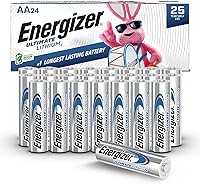
Choose the battery type with the conditions in mind. Lithium cells handle cold better than alkaline in an outdoor sensor.
Our guide to weather station batteries covers the trade-offs in more detail.
How do you pair the outdoor sensor with the display?
Pair the sensor with the display close together, then move it outside. Most pairing problems come from starting the sensor search with the sensor already far away or with weak batteries.
Insert the sensor batteries first. Then press and hold the display's sensor search or reset button until the signal icon starts flashing.
Keep the two units within a few feet for a minute or two.
When outdoor readings appear, take the sensor to its mounting spot. Walls, metal siding and long distances cut the range.
If the readings drop out after moving it, try a spot with a cleaner line to the display. A weather station roof mount puts the sensor higher with less obstruction, which helps the signal.
How do you set the time, date and time zone?
Set the time zone first, then the clock mode and date. The C85845 has an atomic self-set clock, so it finds the radio signal on its own once the time zone is right.
Use the display buttons to scroll to your time zone setting. Choose 12 hour or 24 hour mode next, then confirm the date.
The C85845 also auto-resets for Daylight Savings time, and you can turn that option off if your area doesn't observe it.
The V42-PRO sets its clock over Wi-Fi once the app is connected. If you skip Wi-Fi, set time and date from the display buttons in the same way.
If the clock won't catch the atomic signal, move the display away from metal and electronics and try again near a window. A full reset and a fresh time zone setting usually fixes a stubborn clock.
How do you set temperature and humidity alerts?
Pick high and low limits for indoor and outdoor readings, then confirm them on the display. Both stations take custom alerts, and the V42-PRO also sends them to your phone.
On the C85845, press the alert button and use the arrow keys to set each high and low limit for temperature and humidity. Save each one as you go.
The display shows the alert icon when a reading crosses its limit.
Think about what each limit means for your day. A low outdoor temperature alert can tell you when to cover plants, while a high indoor humidity alert points to a ventilation problem.
The C85845's comfort color bars give you a quick read on humidity from 10% to 99% RH without checking the numbers.
How do you connect a La Crosse weather station to Wi-Fi?
Use the La Crosse View app and keep the display near the router during setup. This step applies to the V42-PRO Smart Wi-Fi, which sends readings to the free app for remote monitoring and alerts.
Open the app, choose to add a device and follow its prompts. Enter your 2.4 GHz Wi-Fi network name and password when asked.
The app then confirms the station and its sensors.
Once connected, the V42-PRO adds more forecast data, UV index, sunrise and sunset times and air quality to the display. It also pushes customizable alerts to your phone, so you can watch conditions when you're away from home.
If setup stalls, move the display closer to the router and try again. A 2.4 GHz network works better than a 5 GHz one for this connection.
How do you set up wind and rain readings?
Mount the wind and rain sensor before you program those readings. The V42-PRO's LTV-WSDR1 combo sensor handles both, and its position changes what the numbers mean.
Put the wind cups and vane where the wind reaches them freely, away from walls and trees. The rain funnel needs a clear opening above it and a level mount so water doesn't spill out early.
A roof mount or tripod solves both problems better than a fence post.
After mounting, pair the sensor with the display and let the rain gauge collect its first tips. The V42-PRO shows current and top wind speed with a compass rose, plus a rain graph and historical records.
The display also stamps high and low values with the time and date, so you can see when a gust or a downpour happened.
Which La Crosse weather station should you program first?
Start with the C85845 if you want a simple display with alerts; pick the V42-PRO if you want wind, rain and phone alerts. The programming steps overlap, but the V42-PRO adds a Wi-Fi app and two outdoor sensors.
The C85845 suits a kitchen counter or living room shelf where you check indoor comfort and outdoor temperature by eye. Its atomic clock and color comfort bars make it a set-and-forget unit after the first week.
Program it once and it mostly runs itself.
The V42-PRO suits someone who wants the full picture. Wind, rain, UV and air quality all arrive on the display and in the app.
Its 400 foot sensor range gives you more room to place the sensor well away from the house.
Use lithium AA batteries in the outdoor sensors if your winters get cold. Energizer says these cells perform from -40°F to 140°F, where alkaline cells fade.
What should you do after programming the station?
Leave the station plugged in and give the barometer 7–10 days to calibrate. La Crosse says to allow that time before the forecast icons and trend arrows settle.
Check the outdoor sensor reading against a known thermometer once. If it's close, leave it alone.
Most program errors come from re-pressing buttons after setup, not from the station itself.
When you move the display or the sensor, expect a short gap in readings. They reconnect on their own after a few minutes.
If you want a wider view of the La Crosse lineup before you buy, see the best La Crosse weather stations. For the display and sensor placement in more detail, our guide to how to set up a home weather station covers the full process.
That's how to program a La Crosse weather station: pair the sensor first, set time and alerts next, then connect Wi-Fi if your model has it. Get those steps right and the station handles the rest.
Frequently asked questions
Why won't my La Crosse outdoor sensor show up on the display?
Put fresh batteries in the sensor first, then press and hold the sensor's reset button with a pin. Set the display close to the sensor and press its sensor search or reset button.
Walls and metal siding shorten the signal, so keep the display and sensor close while they pair.
How long does a La Crosse weather station take to calibrate its forecast?
La Crosse asks for 7–10 days of barometric calibration before the forecast icons and trend arrows settle. Until then, the station is still reading temperature, humidity, dew point and time normally.
Leave the display plugged in and in one place so the pressure readings stay consistent.
Do La Crosse weather stations need batteries if they plug into the wall?
Yes, the C85845 display runs on its 5V power cord but needs 3 AA batteries as backup if the power drops. Its TX141TH-B outdoor sensor takes 2 AA batteries and runs on those alone.
The V42-PRO display keeps a CR2032 backup that holds data rather than running the screen.
How do I reset my La Crosse weather station?
Press and hold the display's reset button for a few seconds, or remove the batteries and power cord for a minute and reconnect. For the sensor, use a pin in its reset hole.
You'll need to set time, alerts and Wi-Fi again after a full reset.
Can I set custom temperature alerts on a La Crosse weather station?
Yes. On the C85845 you set high and low limits for indoor and outdoor temperature and humidity from the display buttons.
The V42-PRO also takes custom alerts and sends Wi-Fi notifications through the La Crosse View app when a limit is crossed.